Solitaired App Guide: Features, AI Hints, & 500+ Game Library
By Neal Taparia - Published: 12/18/2025
Solitaired is one of the most comprehensive Solitaire apps available. This Android-only app has over 5K downloads and offers hundreds of Solitaire variations in a clean, ad-light, easy-to-use interface.
Whether you love Klondike, Spider, FreeCell, or want to try something new, the app makes it simple to explore classic games and discover fresh challenges. Along with customization, progress tracking, and competitive leaderboards, Solitaired gives players of all skill levels the tools to play smarter and have more fun. Use this guide to discover the app’s top features and functionalities.
Navigating the Solitaired App
The app will open to the last type of Solitaire game you played (or Klondike Turn 1 if you haven’t selected a game). From there you can access many areas around the tableau:
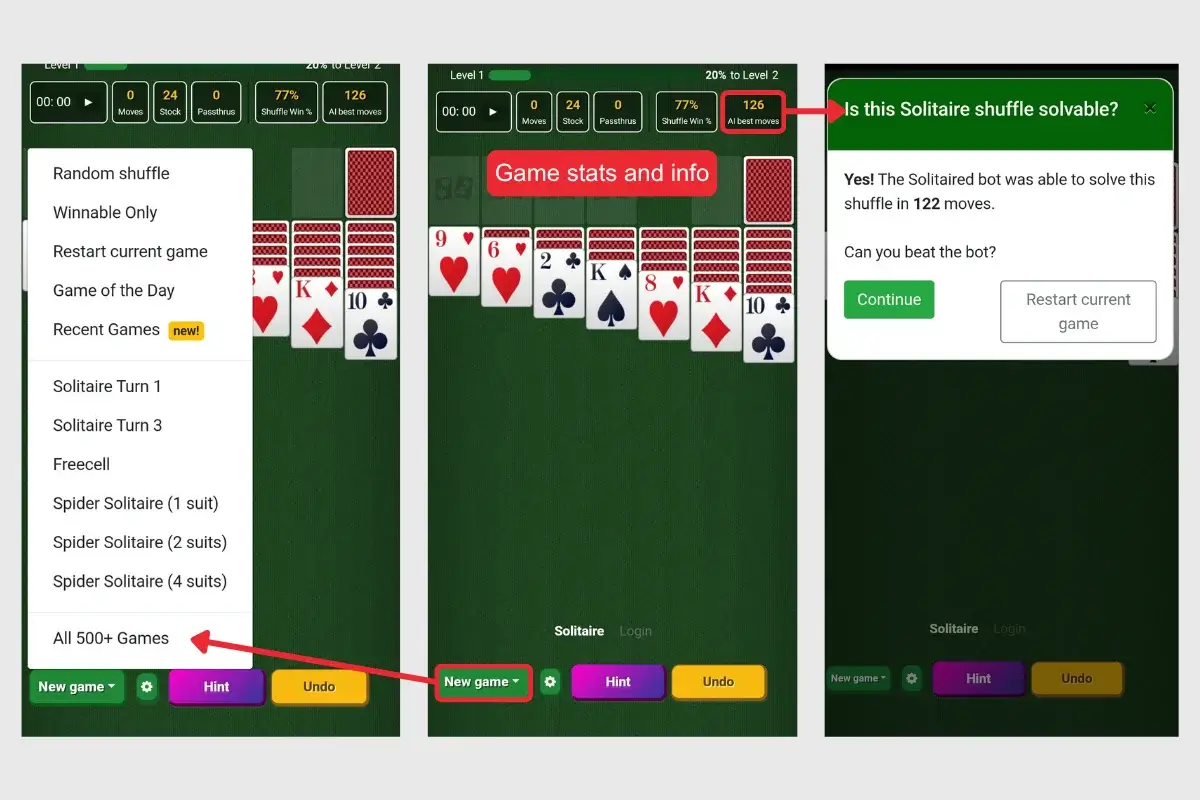
- Info bar: Boxes stretch across the top to create an info bar with elapsed time, number of moves you’ve made, cards left in the stockpile, how many passes you’ve made through the stockpile, as well as the win rate for that particular deal and the number of moves used by AI to win, if it’s a solvable deal.
- New game button: Selecting this button at the bottom of the tableau allows you to choose a different game or new deals.
- Settings button: Next to the New game button you can access the game settings by selecting the gear, where you can change the design and settings for your game as well as check out the rules for gameplay.
- Hint and undo buttons: Because you sometimes get stuck and need to either Undo a move or get a Hint, you can find these important buttons at the bottom next to the Settings.
Customizing Your Game Settings
Personalization is a big part of the Solitaired experience. You can customize your gameplay by clicking the gear button located at the bottom. Features you can adjust include:
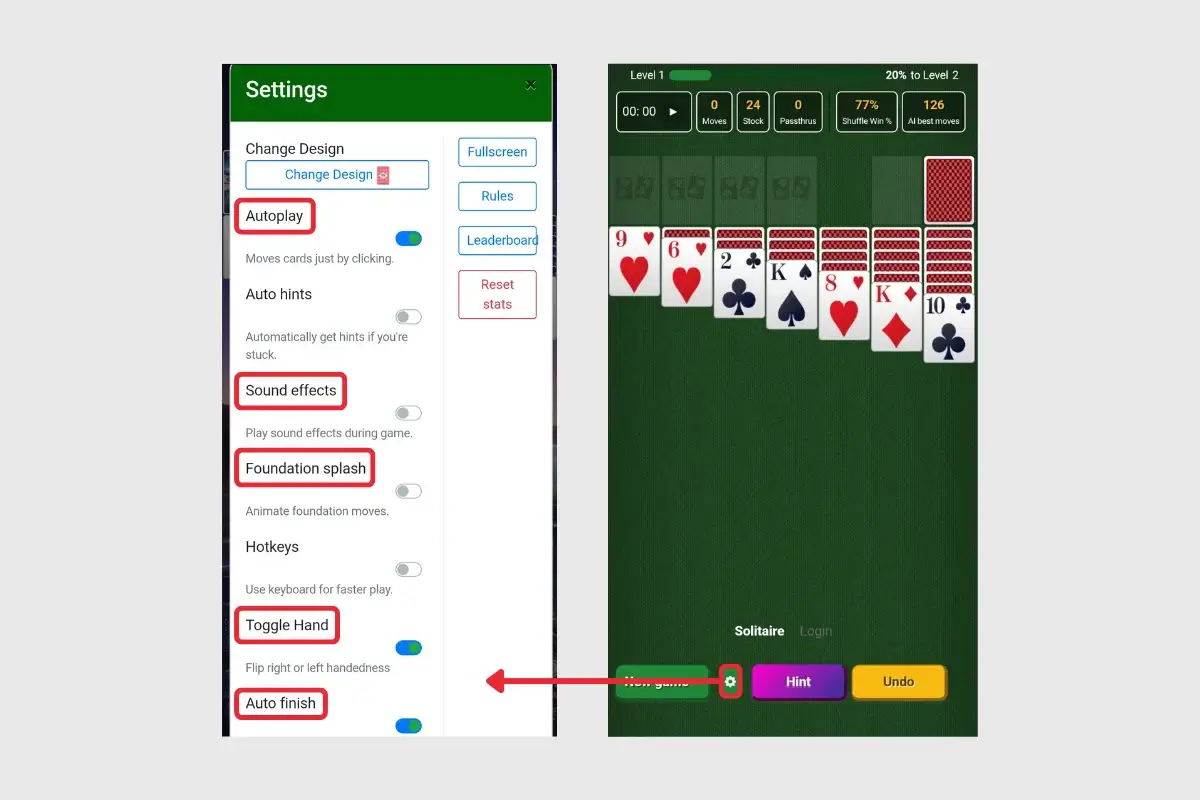
- Autoplay: Moves cards automatically with a tap
- Foundation splash: Animates moves when you add a card to a foundation pile
- Toggle hand: Switches the stockpile between left or right side.
- Auto finish: Sorts cards to the stockpile automatically when you’re in position to win
Changing Game Appearance
From the settings gear at the bottom, you can navigate to Change Design and scroll through th the following customizations:
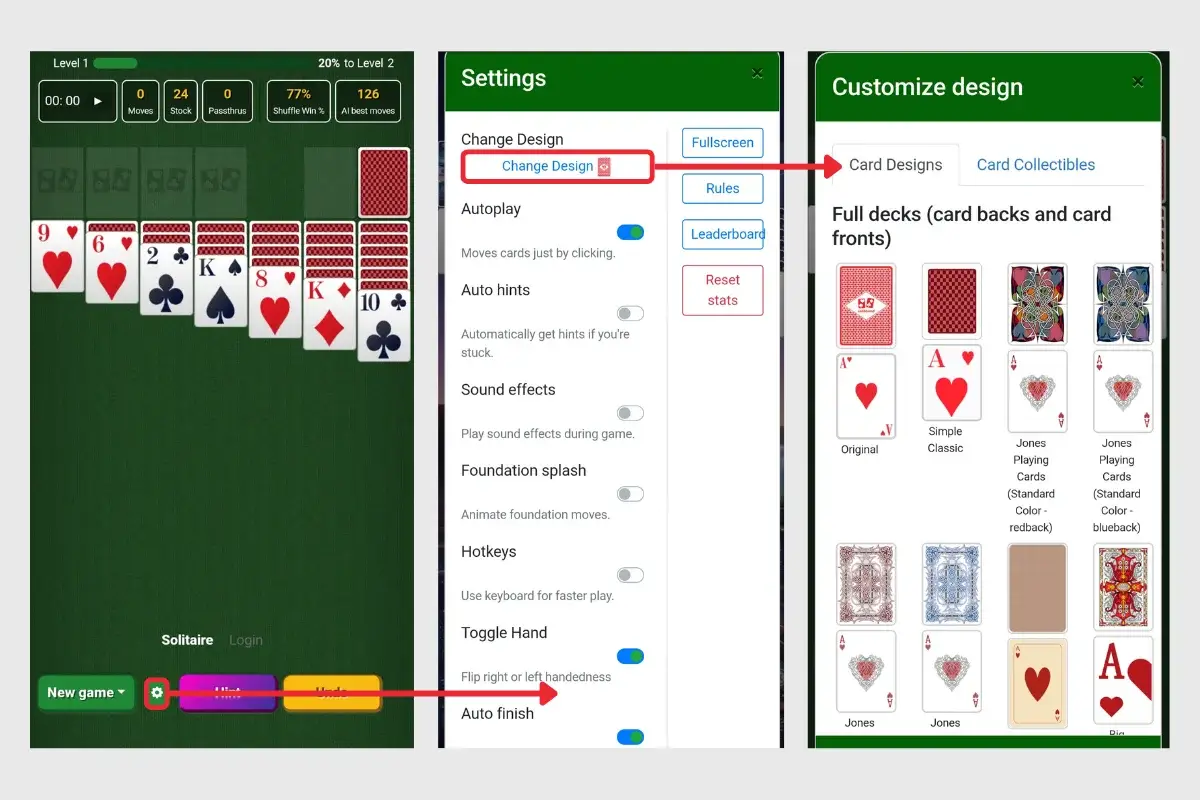
- Card sets:Select a set (front and back of cards) with different fonts, icons, and sizing.
- Backgrounds: Adjust the green background to another color or pattern.
- Card backs: Change the pattern on the back of the cards.
- Collectible decks: Earn cards with each win to unlock collectible decks. All the collectible decks are listed in the Card Collectibles tab under Settings, and you can see how many more cards you need to win the next deck.
Ad Experience
This app doesn’t have a paid option to avoid ads, but the ads it does have are minimal and last just a few seconds. Ads don’t appear after every game, and you can typically skip the ad after three to four seconds.
Types of Solitaire Games
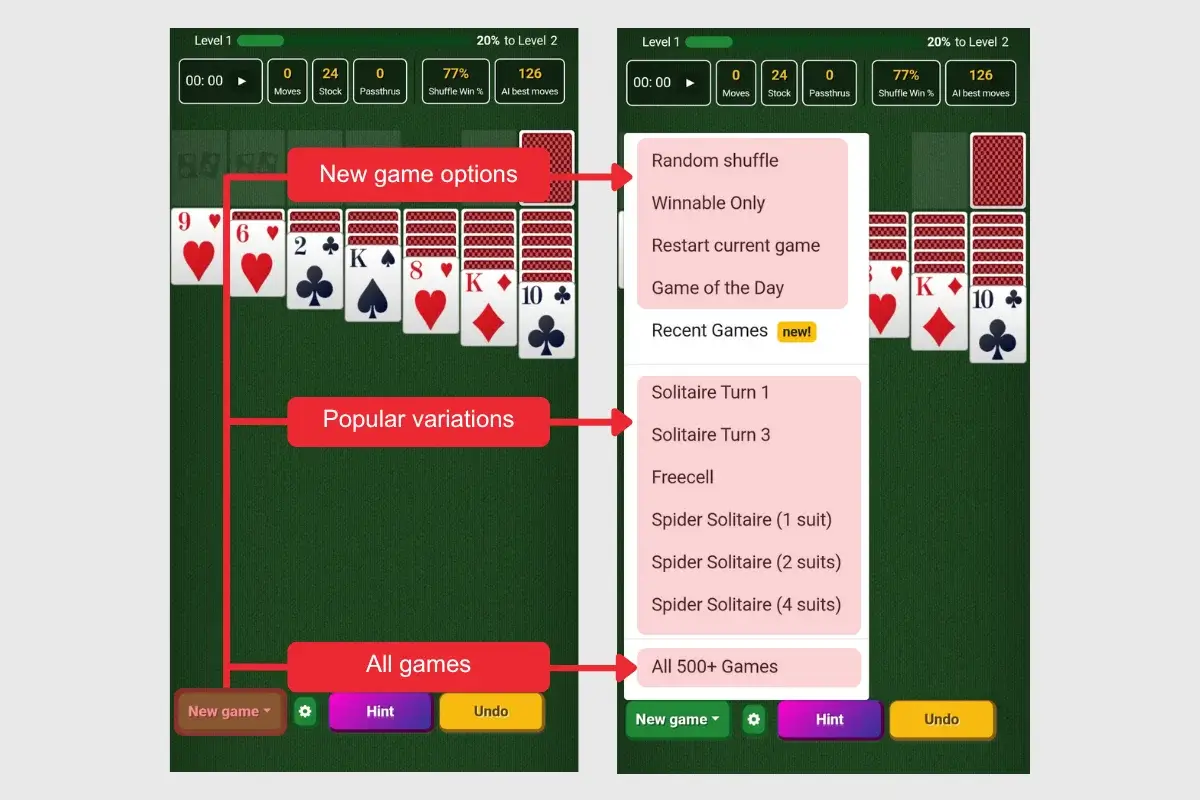
Clicking the New game button at the bottom of the screen allows you to switch between 500+ Solitaire variations. You can also deal a new game with a Random shuffle, a deal that is Winnable only, or Restart current game.
When playing offline, you can access five popular Solitaire variations: Solitaire Turn 1, FreeCell, Spider Solitaire 1 Suit, Spider Solitaire 4 Suit, and TriPeaks. When playing online, you can access the entire suite of games.
Tracking Your Progress
For players who enjoy competition, Solitaired includes leaderboards, records, and trophies:
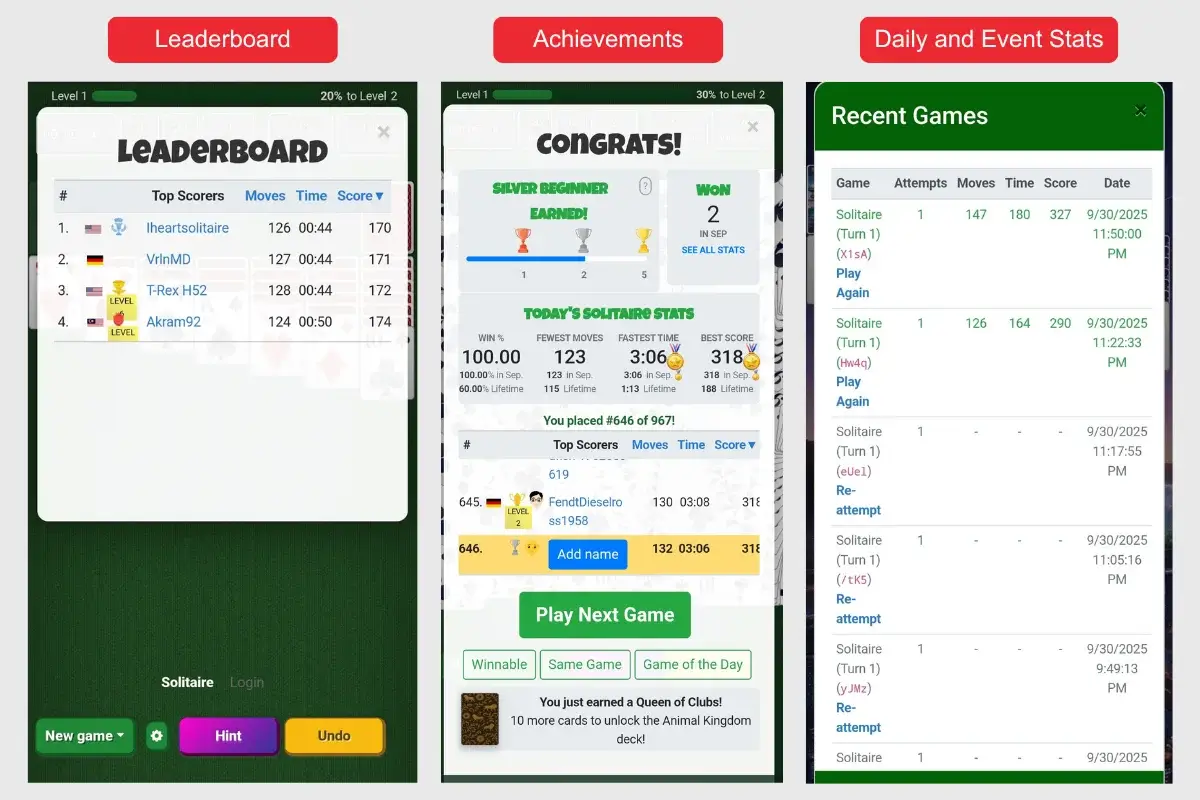
- Leaderboard: Compare your results with other players. You can access this through the Settings.
- Achievements: Unlock trophies and medals for winning streaks, challenge completions, and special milestones. You can view your achievements after winning a game.
- Daily and event stats: Track your stats for each game, including moves, time (measured in seconds), and score. You can access your stats by navigating to New game > Recent Games. You have to register for a free account to track your stats.
Ready to Play?
The Solitaired app offers 500+ Solitaire variations and card games, making it one of the best free Solitaire apps you can find for Android. Not only do you get a wide variety of games, but you also get a wide array of customization options for both the look and feel of your game, making it a great app for all card players at all levels. You can also play our entire Solitaire suit online for free.
About the author