Top 7 FreeCell Apps To Download
By Neal Taparia - Last Updated: 10/07/2026

A good FreeCell app makes it easy to read the cards, plan your next move, and return to an unfinished game. The best choice depends on whether you want help learning, daily challenges, or more solitaire variations to explore.
These seven options offer different ways to enjoy FreeCell on your phone or tablet. Use the comparison below to find an app that fits the way you like to play.
Compare the FreeCell apps
Each app name links to its details below. The download column identifies the store or publisher page linked in this guide.
| App | Best for | Download link |
|---|---|---|
| Solitaired | Variety in one app | Google Play |
| FreeCell by MobilityWare | Familiar FreeCell play | Google Play |
| FreeCell by Brainium | Learning the game | Publisher website |
| Solitaire City by Digital Smoke | FreeCell variations | App Store |
| FreeCell Solitaire Pro by Dinobyte Studios | Adjustable free cells | Google Play |
| Microsoft Solitaire Collection | Daily challenges | Google Play |
| FreeCell Solitaire by Zynga | Large, readable cards | Google Play |
What is FreeCell, and how do you play?
FreeCell is a solitaire game played with one deck of 52 cards. All cards start face-up in eight columns: four columns of seven cards and four columns of six.
The goal is to move every card to the four foundations, building each suit from ace to king. In the columns, arrange cards in descending order with alternating colors. The four free cells each hold one card temporarily.
Empty cells and columns give you room to rearrange cards. The number of cards you can move together depends on the empty spaces available. For a complete introduction, read our guide to playing FreeCell.
The best FreeCell apps to download
1. Solitaired
Best for: variety in one app

Solitaired brings FreeCell together with hundreds of other card games. It suits players who want to switch between FreeCell, Klondike, Spider, and Pyramid without finding a new app each time.
Highlights
- Hundreds of solitaire and card games
- Hints, undo, and redo
- Daily challenges and progress statistics
Before you download: Check the listing for the features available on your device. You can also play FreeCell on Solitaired in your browser.
2. FreeCell by MobilityWare
Best for: familiar FreeCell play

MobilityWare pairs classic FreeCell with touch controls and a familiar card layout. It is a starting point for players who want a dedicated FreeCell game with scores to work toward.
Highlights
- Classic FreeCell gameplay
- Touch controls and card animations
- Leaderboards for comparing scores
Before you download: The linked Google Play edition includes ads and in-app purchases.
3. FreeCell by Brainium
Best for: learning the game
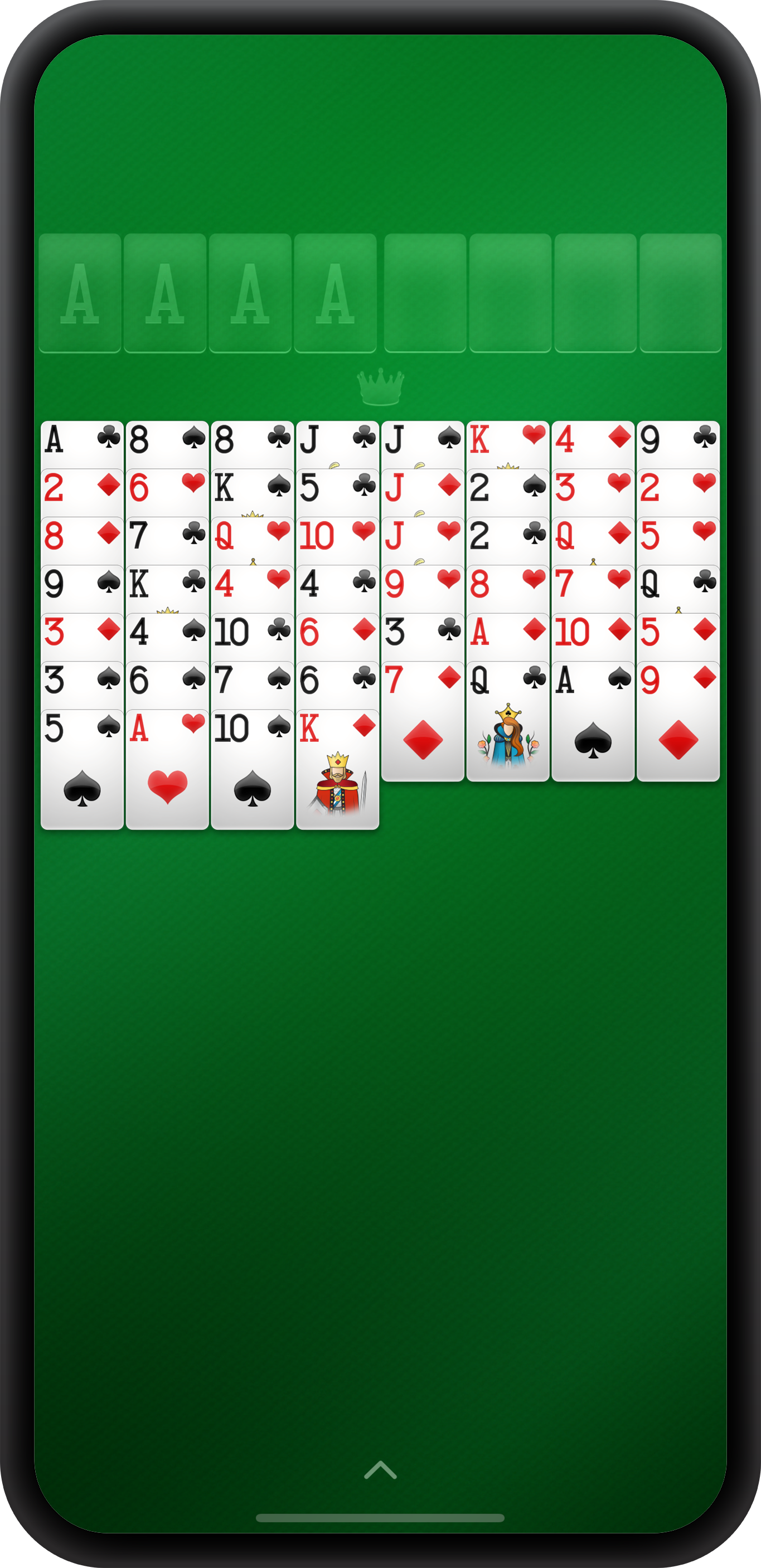
Brainium combines readable cards with an animated tutorial. Hints and undo help you explore a deal, while custom backgrounds let you change the look of the game.
Highlights
- Animated tutorial for beginners
- Hints and unlimited undo
- Automatic saving and detailed statistics
Before you download: Use the publisher’s page to find the edition available for your device. Check the selected store listing for pricing and purchase options.
4. Solitaire City by Digital Smoke
Best for: FreeCell variations

Solitaire City offers seven FreeCell variations alongside other solitaire games. Its interactive training explains rules as you play, and timed scoring gives you a reason to revisit a familiar game.
Highlights
- Seven FreeCell variations
- Interactive training, hints, and undo
- Timed scoring and detailed statistics
Before you download: The linked edition is for iPhone and iPad. Check the App Store for current compatibility and purchase options.
5. FreeCell Solitaire Pro by Dinobyte Studios
Best for: adjustable free cells

Dinobyte lets you choose between one and four free cells. That gives experienced players a way to change the challenge while keeping the familiar goal of building four foundations.
Highlights
- Choose one, two, three, or four free cells
- Hints and undo
- Card controls designed for touchscreens
Before you download: The linked Pro edition is a paid app. The developer describes its card play as ad-free.
6. Microsoft Solitaire Collection
Best for: daily challenges

Microsoft combines FreeCell with Klondike, Spider, TriPeaks, and Pyramid. Daily challenges and achievements suit players who enjoy a regular goal as well as an open-ended card game.
Highlights
- Five classic solitaire game modes
- Daily challenges and achievements
- Progress across devices when signed in
Before you download: The linked edition includes ads and in-app purchases. Sign in with a Microsoft or Xbox account to save progress across devices.
7. FreeCell Solitaire by Zynga
Best for: large, readable cards

Zynga keeps the focus on a simple layout and large cards. Tap or drag cards to move them, use a hint when needed, and track your progress through the game statistics.
Highlights
- Large cards with tap or drag controls
- Hints, undo, and saved games
- Statistics, leaderboards, and achievements
Before you download: The linked Google Play edition contains ads.
Which FreeCell app should you choose?
Start with Brainium or Solitaire City if you want help learning the game. Try Microsoft for daily challenges, or Solitaired if you want a larger collection. Dinobyte’s adjustable free cells offer another way to change the difficulty.
Before installing, compare the card size, hint options, and purchase details. A free download may include ads or optional purchases, and availability can differ by device.
Other solitaire games to try
- Klondike: build four foundations from ace to king while revealing hidden cards in the columns. See our classic Solitaire app guide.
- TriPeaks: clear available cards that rank one higher or lower than the waste card. Suit and color do not need to match. Explore our TriPeaks app guide.
- Pyramid: remove available cards in pairs that total 13. A king counts as 13 and can be removed on its own. Browse our Pyramid app guide.
- Spider: complete eight sequences from king to ace in the same suit. Choose one, two, or four suits for different challenges. See our Spider app guide.
Frequently asked questions
Are FreeCell and Klondike played the same way?
Both games build foundations from ace to king by suit. FreeCell deals the full deck face-up and gives you four temporary storage cells. Klondike starts with some cards hidden in the columns and keeps the remaining cards in a stock pile.
How do you win at FreeCell?
Move all 52 cards to the four foundations. Each foundation holds one suit in ascending order, starting with the ace and ending with the king. Alternating-color sequences belong in the columns, not on the foundations.
What are useful FreeCell strategies?
- Plan several moves ahead before filling a free cell.
- Create empty columns to make room for rearranging cards.
- Use free cells as temporary storage and empty them when possible.
- Keep useful cards in play if moving them to a foundation would block another move.
Our FreeCell strategy guide explains these ideas in more detail.
Can I play FreeCell without an app?
Yes. Play FreeCell on Solitaired in your browser without downloading a separate app.
About the author