Top 7 Best Spider Solitaire Apps You Can Download
By Neal Taparia - Last Updated: 10/08/2026
The best Spider Solitaire app is one you can read comfortably, control easily, and return to whenever you have time for a game. Some focus on the classic card table, while others add daily challenges, custom themes, or shorter variations.
Compare these seven options to find the right fit. Prefer to start playing now? Play Spider Solitaire on Solitaired in your browser without downloading an app.
Compare the Spider Solitaire apps
Jump to an app below or follow its store or publisher link. Check the listing for current pricing, compatibility, and regional availability.
| App | Best for | Download link |
|---|---|---|
| Spider Solitaire on Solitaired | Variety in one app | Google Play |
| Spider Solitaire by Brainium | Spiderette and customization | Google Play |
| Spider Solitaire by Odesys | Adjustable card size | Publisher website |
| Spider Solitaire by Aged Studio Limited | Flexible controls | Google Play |
| Spider Go Solitaire by MobilityWare | Shorter games | Google Play |
| Spider Solitaire by Magma Mobile | A simple card table | Google Play |
| Spider Solitaire by Neworld Games | Daily challenges and themes | Google Play |
How do you play Spider Solitaire?
Standard Spider uses 104 cards arranged across ten columns, with the remaining cards in a stock pile. Your goal is to clear the table by completing eight same-suit sequences from king to ace.
You can place a card on another card one rank higher, regardless of suit. To move a sequence together, the cards must be in descending order and all the same suit. Empty columns give you room to rearrange cards.
Dealing from the stock adds one card to each column. Under standard rules, you must fill empty columns before dealing. Start with one suit, then try two or four as you get comfortable. Read our complete Spider Solitaire rules for a walkthrough.
The best Spider Solitaire apps to download
1. Spider Solitaire on Solitaired
Best for: variety in one app

Solitaired combines Spider with hundreds of other solitaire games, including Klondike, FreeCell, and Pyramid. It is a useful starting point if you like switching between card games while keeping your progress in one place.
Highlights
- Hundreds of solitaire and card games
- Hints, undo, and redo
- Daily challenges and personal statistics
Before you download: Check the listing for device compatibility. You can also play Spider on Solitaired in your browser.
2. Spider Solitaire by Brainium
Best for: spiderette and customization

Brainium pairs readable cards with several Spider modes, including Spiderette, which uses one deck instead of two. Custom backgrounds and card backs let you personalize the table.
Highlights
- One-, two-, and four-suit options, plus Spiderette
- Smart hints and unlimited undo
- Auto-save and resume
Before you download: The Google Play listing is published by PLAYSTUDIOS US, LLC and includes ads and in-app purchases.
3. Spider Solitaire by Odesys
Best for: adjustable card size
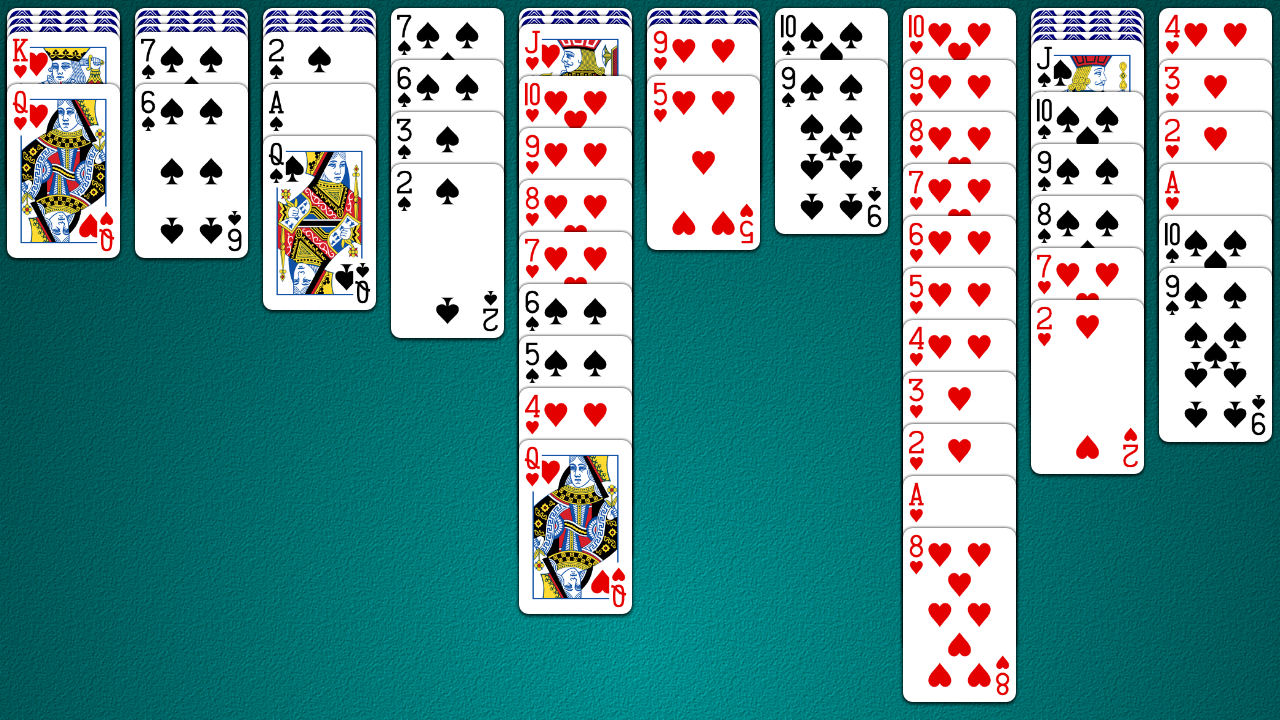
Odesys offers a straightforward card table with adjustable card sizes. Its Black Widow and Tarantula variants give you more ways to play once you are comfortable with standard Spider.
Highlights
- One-, two-, and four-suit difficulty
- Black Widow and Tarantula variants
- Undo, redo, and automatic saving
Before you download: Features vary by device. Use the publisher page to find the edition for your platform.
4. Spider Solitaire by Aged Studio Limited
Best for: flexible controls

Aged Studio combines a familiar Spider layout with large cards and several control options. Portrait, landscape, and left-handed modes help you choose a setup that feels comfortable.
Highlights
- One-, two-, and four-suit modes
- Daily challenges, hints, and unlimited undo
- Custom card faces, card backs, and backgrounds
Before you download: The linked Google Play edition includes ads and in-app purchases.
5. Spider Go Solitaire by MobilityWare
Best for: shorter games

Spider Go uses a smaller deck for a shorter variation on Spider. Build same-suit sequences from king down to eight, rather than king to ace, and choose one or two suits.
Highlights
- Smaller deck with one- and two-suit options
- Custom backgrounds, including your own photos
- Leaderboards and personal statistics
Before you download: This is a Spider variant with different rules from the standard game. The linked edition contains ads.
6. Spider Solitaire by Magma Mobile
Best for: a simple card table

Magma Mobile keeps its presentation focused on the cards. You can change card sets and backgrounds, then follow your results on the statistics board.
Highlights
- Customizable card sets and backgrounds
- Game statistics
- A straightforward Spider layout
Before you download: The listing contains ads and shows an older update date. Check compatibility with your current device before installing.
7. Spider Solitaire by Neworld Games
Best for: daily challenges and themes

This is the app previously listed in this guide under Queens Solitaire Games. Its current Google Play publisher is Neworld Games. Large cards, customizable themes, and daily challenges give you several ways to enjoy a familiar Spider game.
Highlights
- Daily challenges and customizable themes
- Landscape and left-handed support
- Hints, undo, and automatic saving
Before you download: The linked Google Play edition includes ads and in-app purchases.
Which Spider Solitaire app should you choose?
Choose Solitaired if you want several solitaire games in one app. Try Brainium for Spiderette or Odesys for Black Widow and Tarantula. Spider Go is worth considering when you want a shorter game.
If readability matters most, compare the card size and screen orientation on your own device. Aged Studio and Neworld Games both offer layout options. Check advertising and purchase details, too: a free download does not always mean an ad-free game.
Other solitaire games to try
- FreeCell apps: plan moves with all cards face-up and four temporary storage cells.
- TriPeaks apps: clear cards that rank one higher or lower than the waste card.
- Pyramid apps: remove available pairs that total 13, with kings removed on their own.
Frequently asked questions
Which Spider Solitaire difficulty should beginners choose?
Start with one-suit Spider. With only one suit to manage, descending sequences are easier to move together. Then try two suits or four suits for a greater challenge.
Is every Spider Solitaire deal winnable?
No. Some random deals cannot be won. Keep that in mind when comparing your results, and check whether your chosen app offers a winnable-deal option.
How can I improve at Spider Solitaire?
- Uncover face-down cards to create more choices.
- Build same-suit sequences when possible so you can move them together.
- Create an empty column to help reorganize the table.
- Review your available moves before dealing another row.
Our Spider Solitaire strategy guide explains these ideas in more detail.
What is the highest possible Spider Solitaire score?
Scoring depends on the app and game mode, so there is no single maximum that applies to every version. Check the rules in your app before comparing scores with another game.
How is Spider different from Klondike Solitaire?
Spider uses two decks and clears completed king-to-ace sequences from the columns. Klondike uses one deck and builds four foundations from ace to king. Learn more in our Spider and Klondike comparison.
Can I play without downloading an app?
Yes. Play Spider Solitaire on Solitaired directly in your browser.
About the author